MAPAERO
Your whole VFR flight preparation, in a single window.
And it keeps working when the network doesn't.
The chart
It stays put when the network goes.
Vector base maps, terrain and aeronautical data are installed on your device, in verified packages. No tiles to download in flight, no grey screen over a valley without coverage.
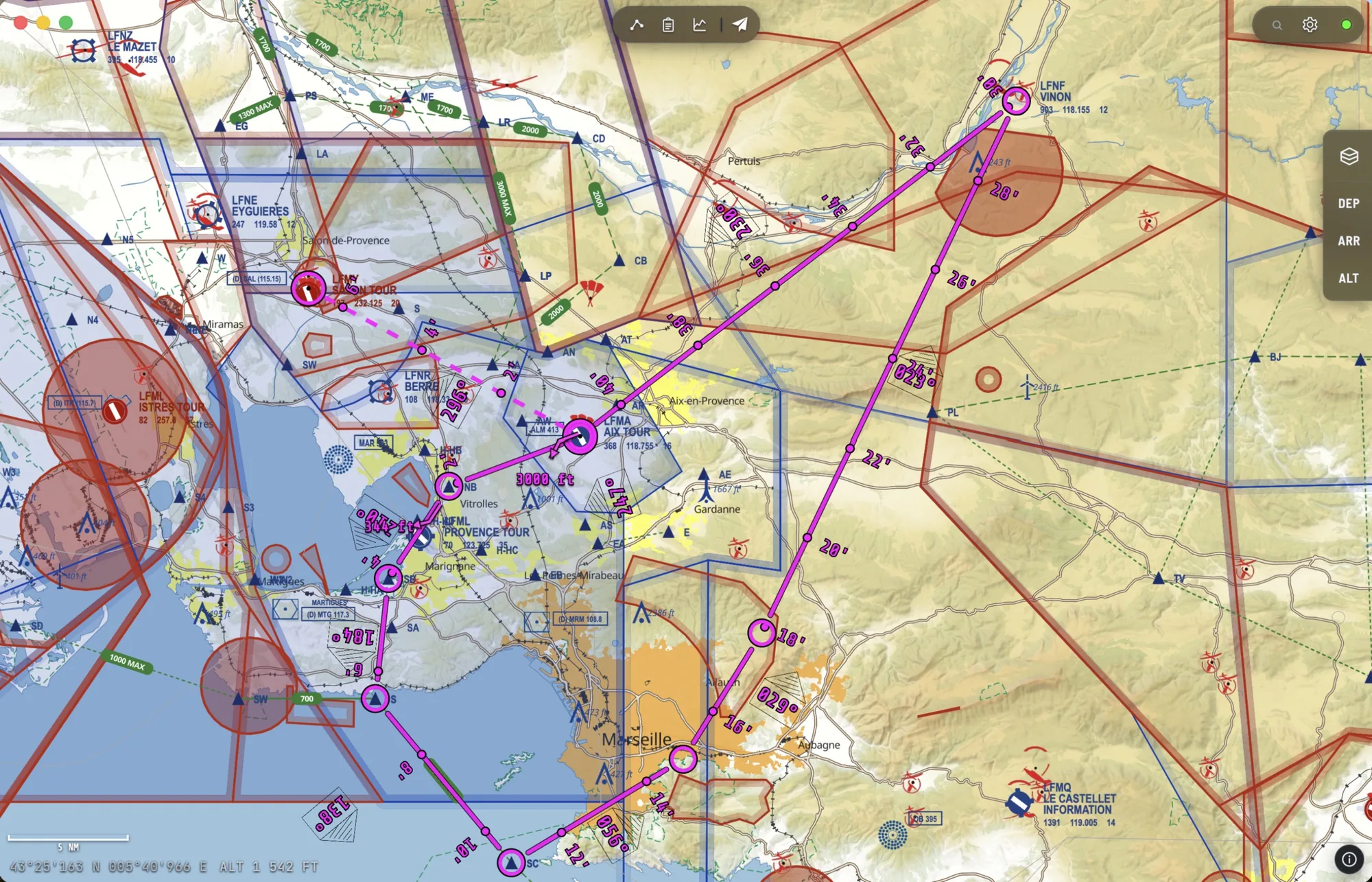
World base map and per-country packages · GLO-90 terrain · AIRAC cycle always on display
The route
Five clicks, and the nav log is done.
Every waypoint you drop recomputes everything: geodesic distances, magnetic headings, leg times, fuel burn. Ctrl+click inserts a point in the middle of a leg, a drag moves it, and labels go wherever you want them.
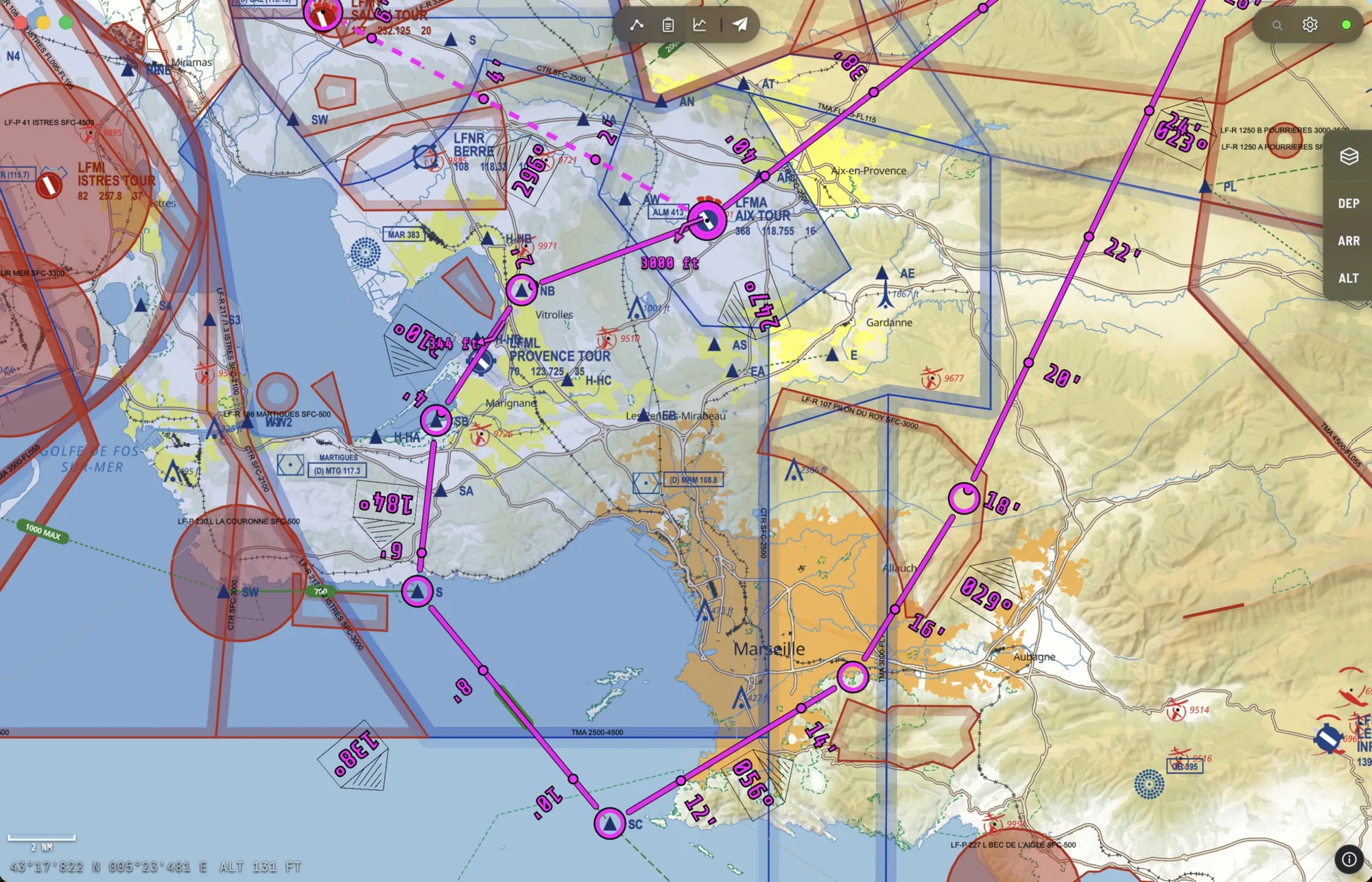
User waypoints · measuring ruler · annotations and drawing · JSON import/export · autosave
The aircraft
The flight manual, once and for all.
One sheet per aircraft, copied from the manual and reused on every flight: fuel tanks, weight and balance with its envelope, checklists, climb, cruise, descent and glide performance. The manual's figures go in once; from then on they drive times, fuel and the vertical profile.
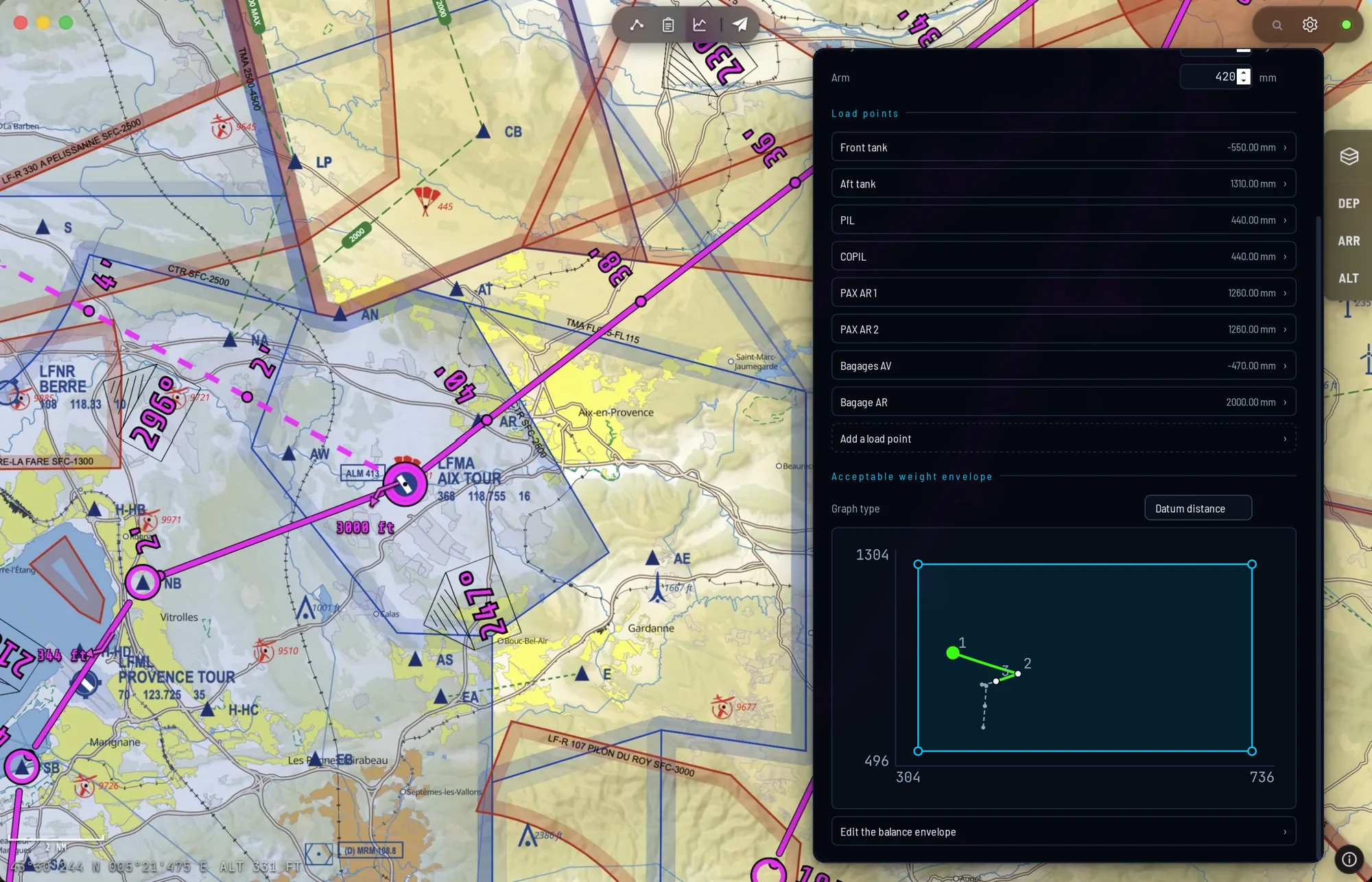
Weights in kg or lb · arms in mm or inches · fuel in litres, gallons or weight — converted, never reinterpreted
The weather
Not a tab on the side. The chart itself.
ECMWF forecasts are laid over the map you are already looking at. The timeline steps through forecast times, the meteogram details a single point, TAF and METAR give the observations, and winds aloft feed straight into the route calculation. It all opens from the chart's context menu, without leaving the screen.
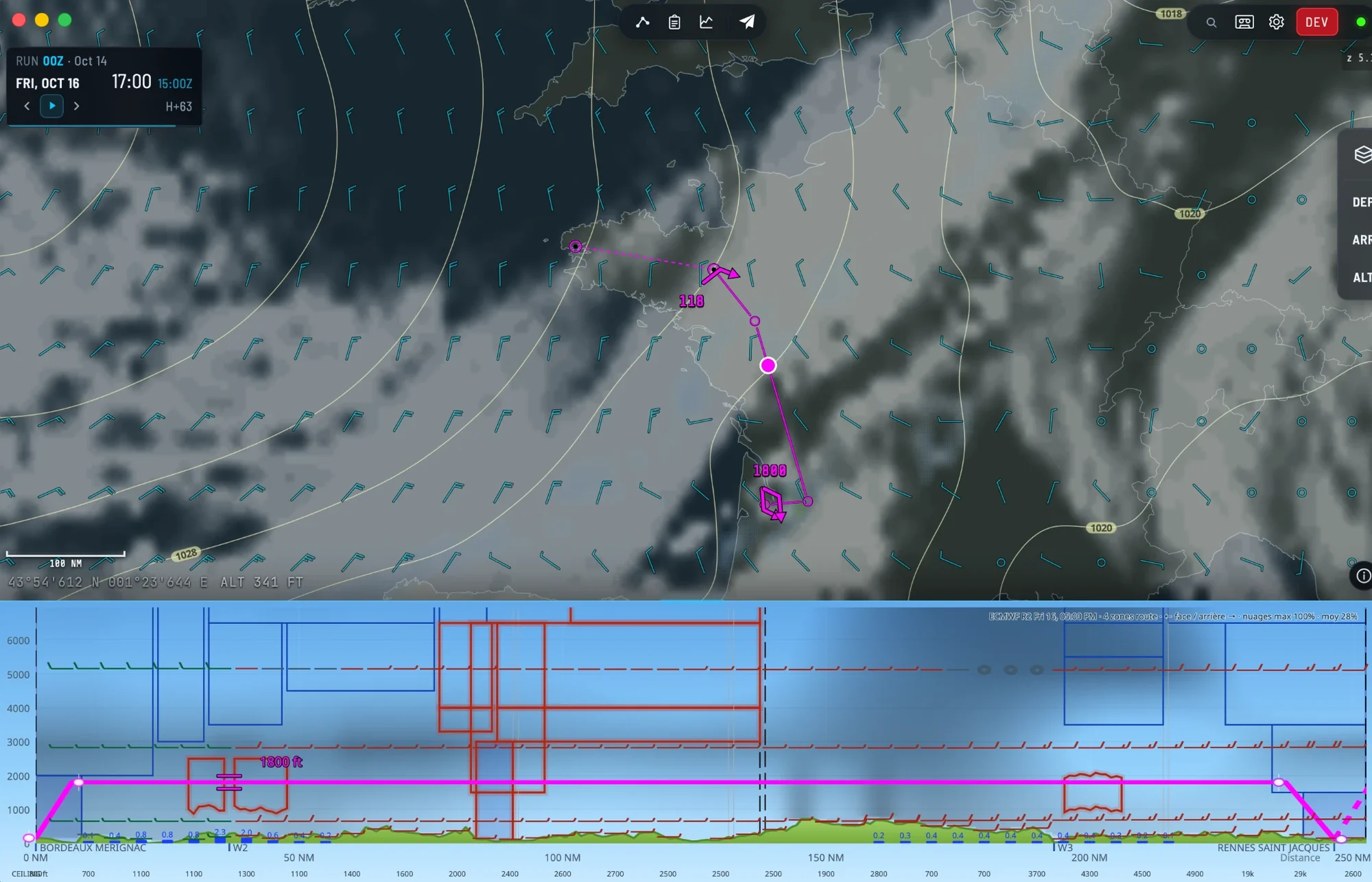
Clouds and rain, temperatures, wind at your level · meteogram · TAF and METAR · forecast times already viewed remain readable offline
The vertical profile
See the terrain before you meet it.
The cross-section follows your route: real terrain, safety margin, airspaces crossed and conditions at the chosen altitude. You draw the vertical plan by hand, and hovering gives the exact value at every mile.
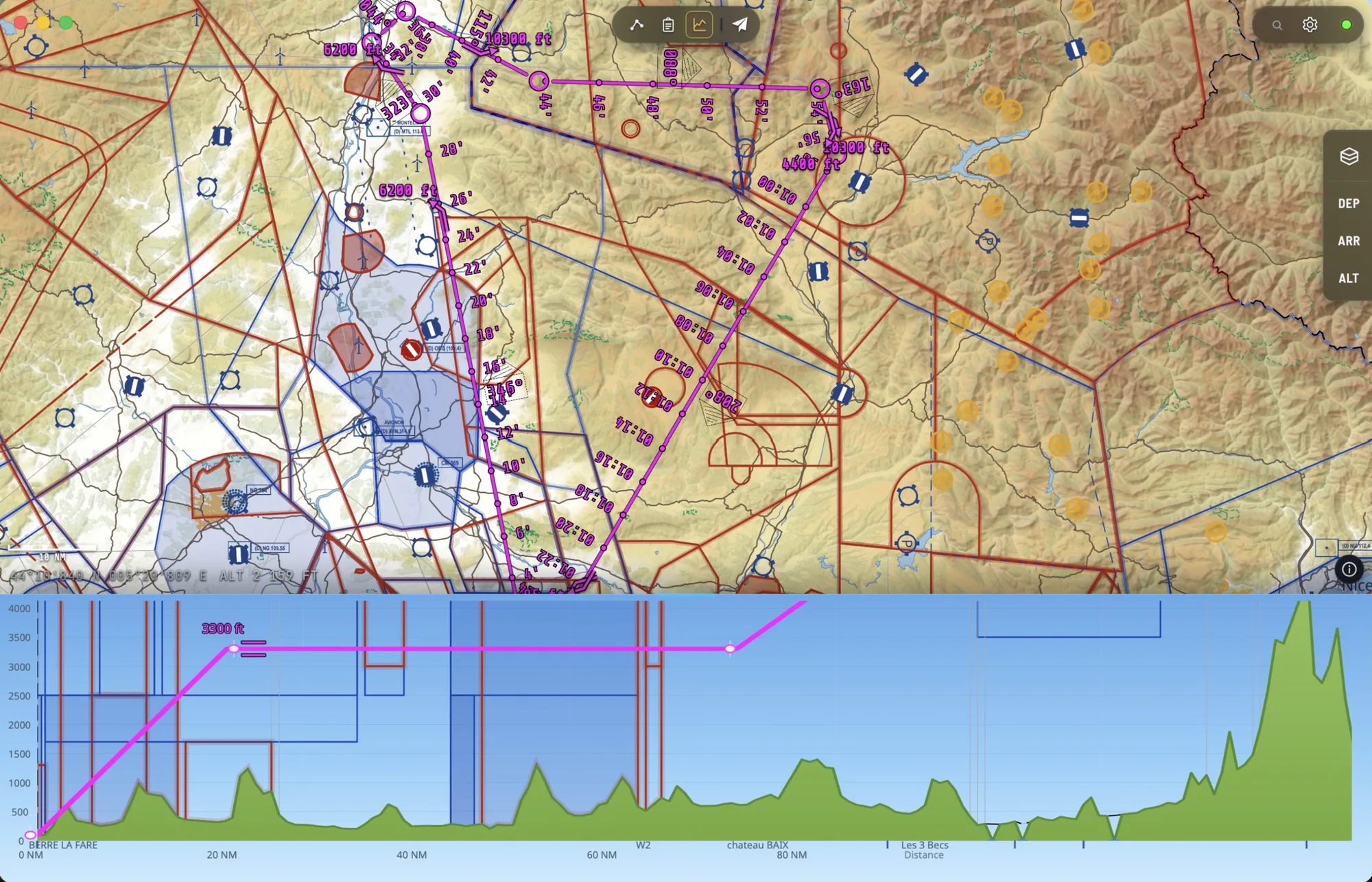
GLO-90 terrain · airspaces in cross-section · wind and temperature from the model
The aerodromes
Your destination, exactly where it belongs.
As you approach the aerodrome, the chart reveals its georeferenced diagram: runways, taxiways, aprons and buildings, aligned on the map instead of sitting in an image beside it. The aerodrome sheet opens like two A4 pages: the layout on the left, runways, frequencies, opening hours, sunrise and sunset and official documents on the right.
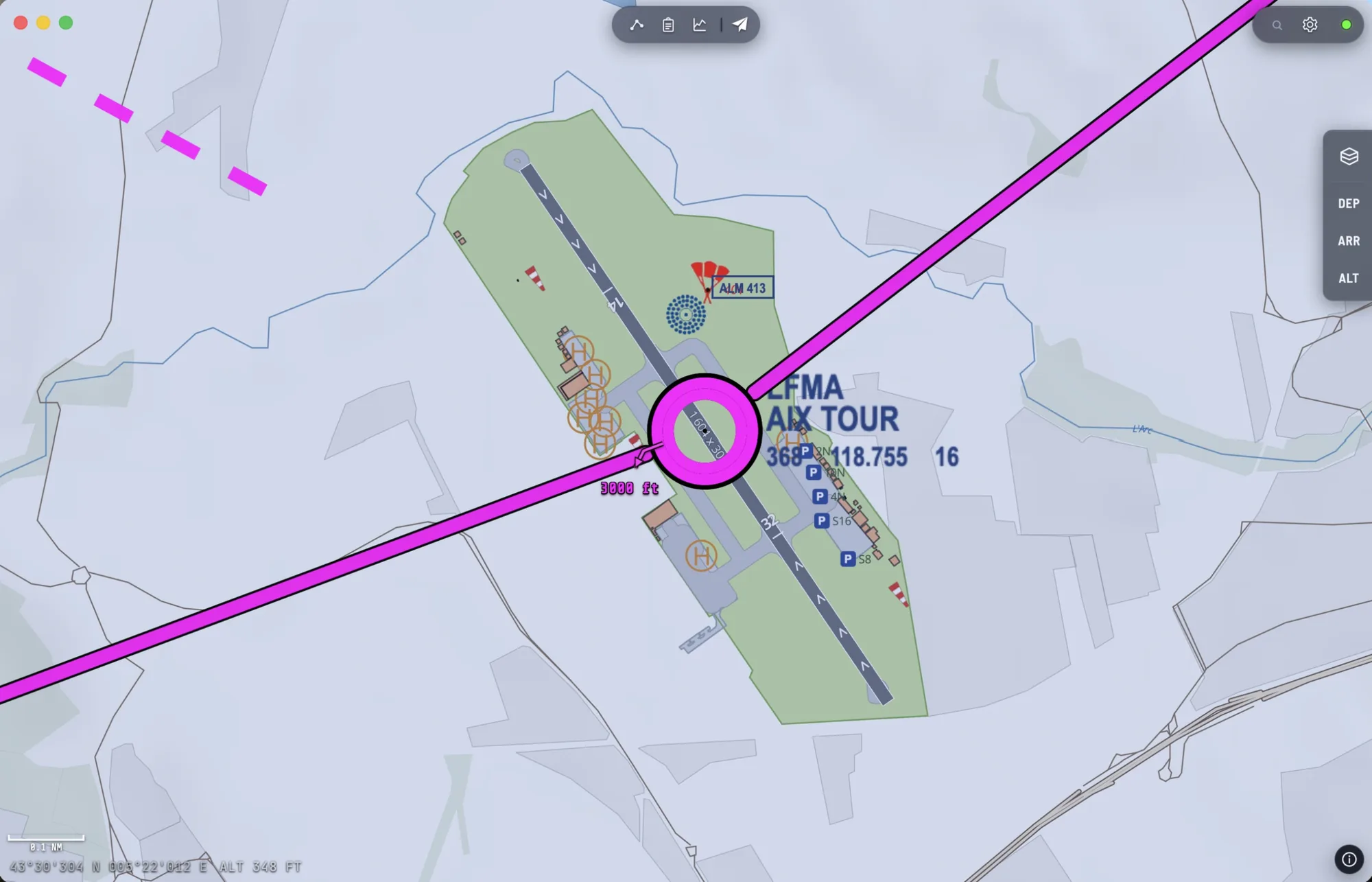
Shown automatically at high zoom · each diagram downloaded once, then kept on the device for a month
Flight mode
And at take-off, it follows you.
The GPS position is smoothed and tracked by the camera, the heading tape stays readable in turbulence, and the terrain ahead is watched continuously. Same app, same chart, same route.
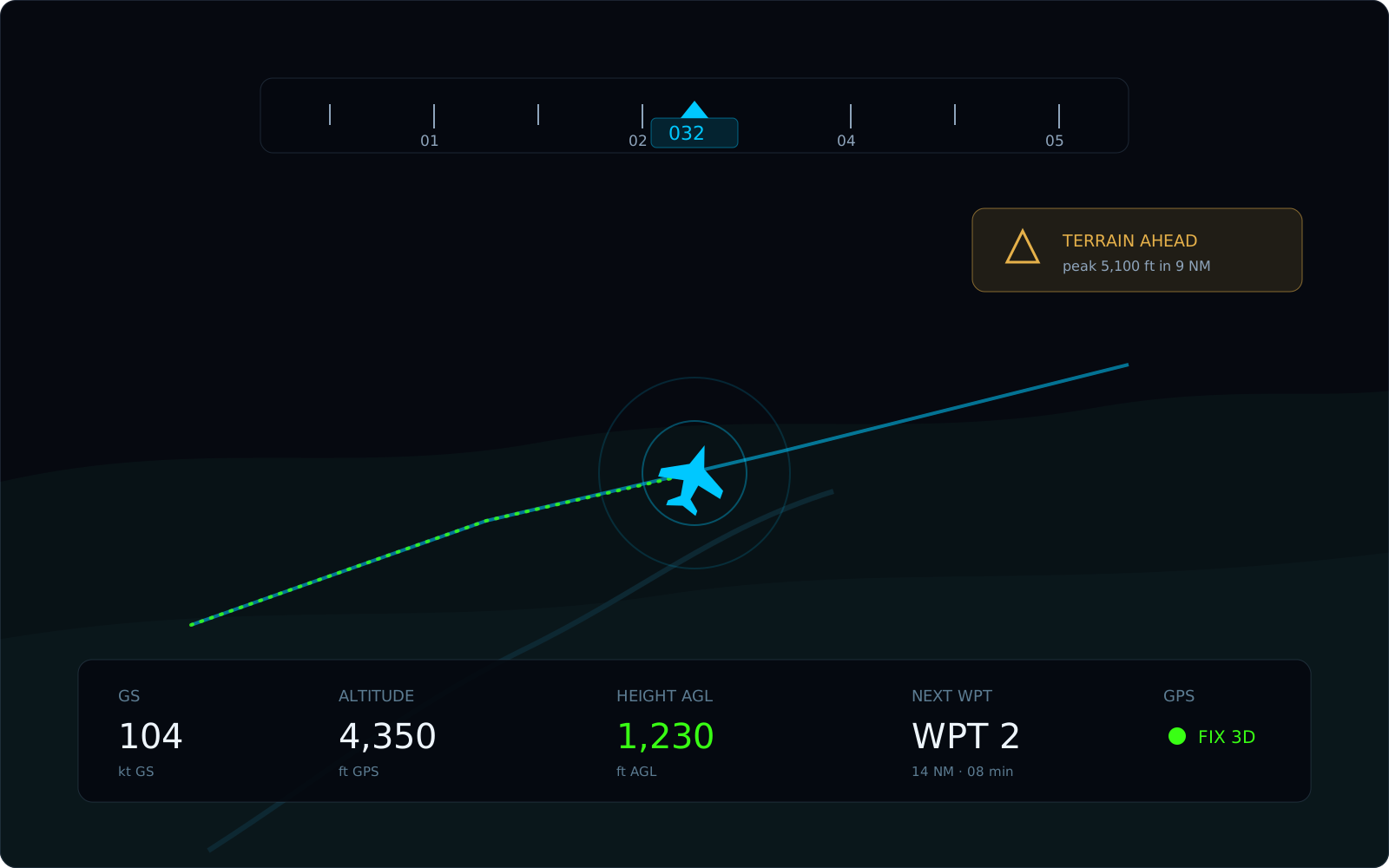
Ground speed · height above ground · next waypoint · terrain alert
Export
What you plan on screen lands on your knee.
A PDF chart at the scale you choose, and an A5 kneeboard: legs, headings, times, fuel, frequencies, en-route aerodromes with their diagrams, NOTAMs (French aerodromes) and the latest TAF/METAR. Enough to fly even if the tablet dies.
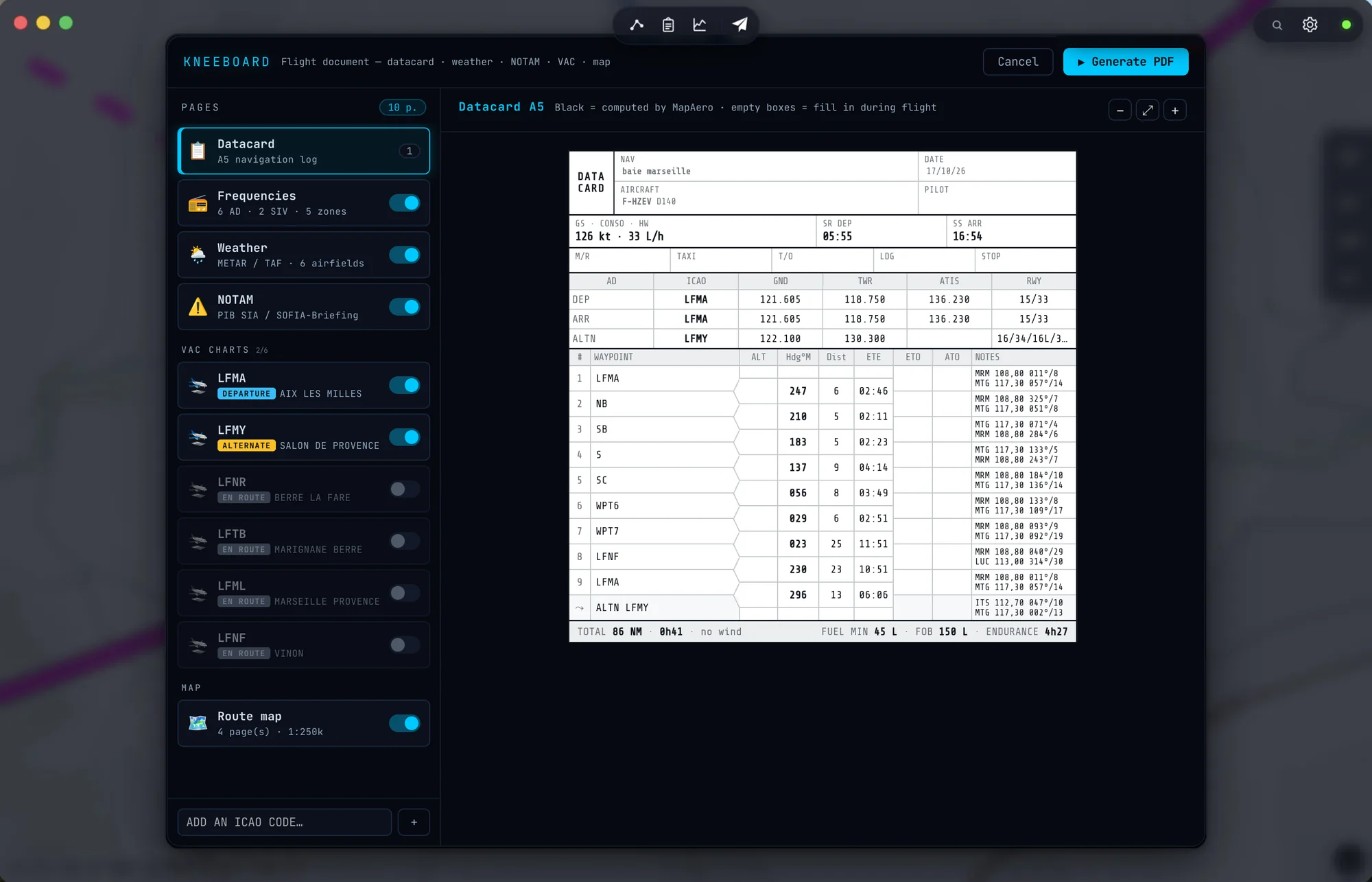
A4 or A5, portrait or landscape · any scale · manual placement of pages along the route
Your data
The flight comes before the cloud.
The local database is the source of truth: the app starts and flies without a network. Your account is only a mirror of it, so you can find your flights on another device. Charts, caches and device settings go nowhere.
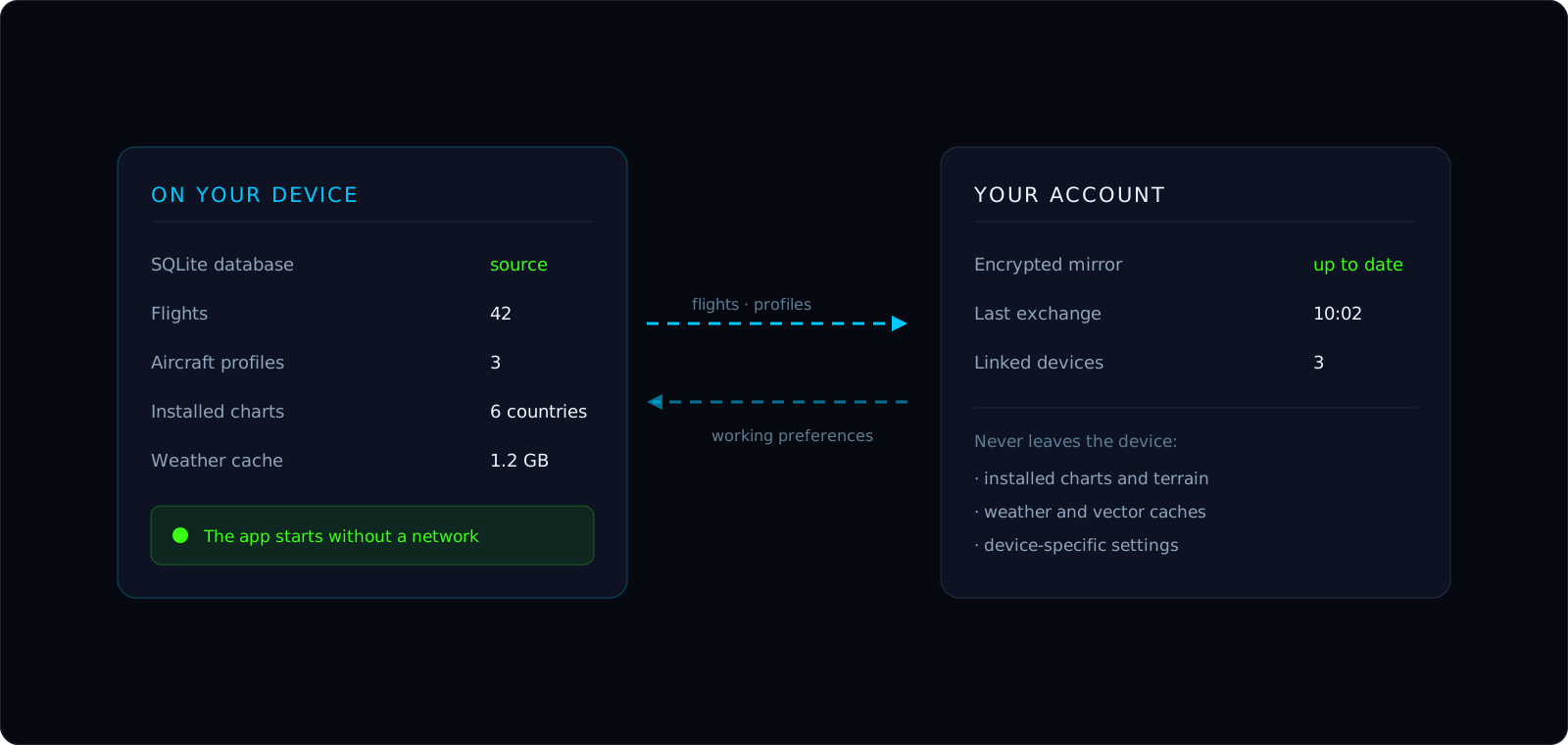
Flights, aircraft profiles and working preferences synced · an explicit list, nothing else travels
The devices
Native wherever you take it.
One app, built for each platform. No browser tab, no session to reopen on the apron.
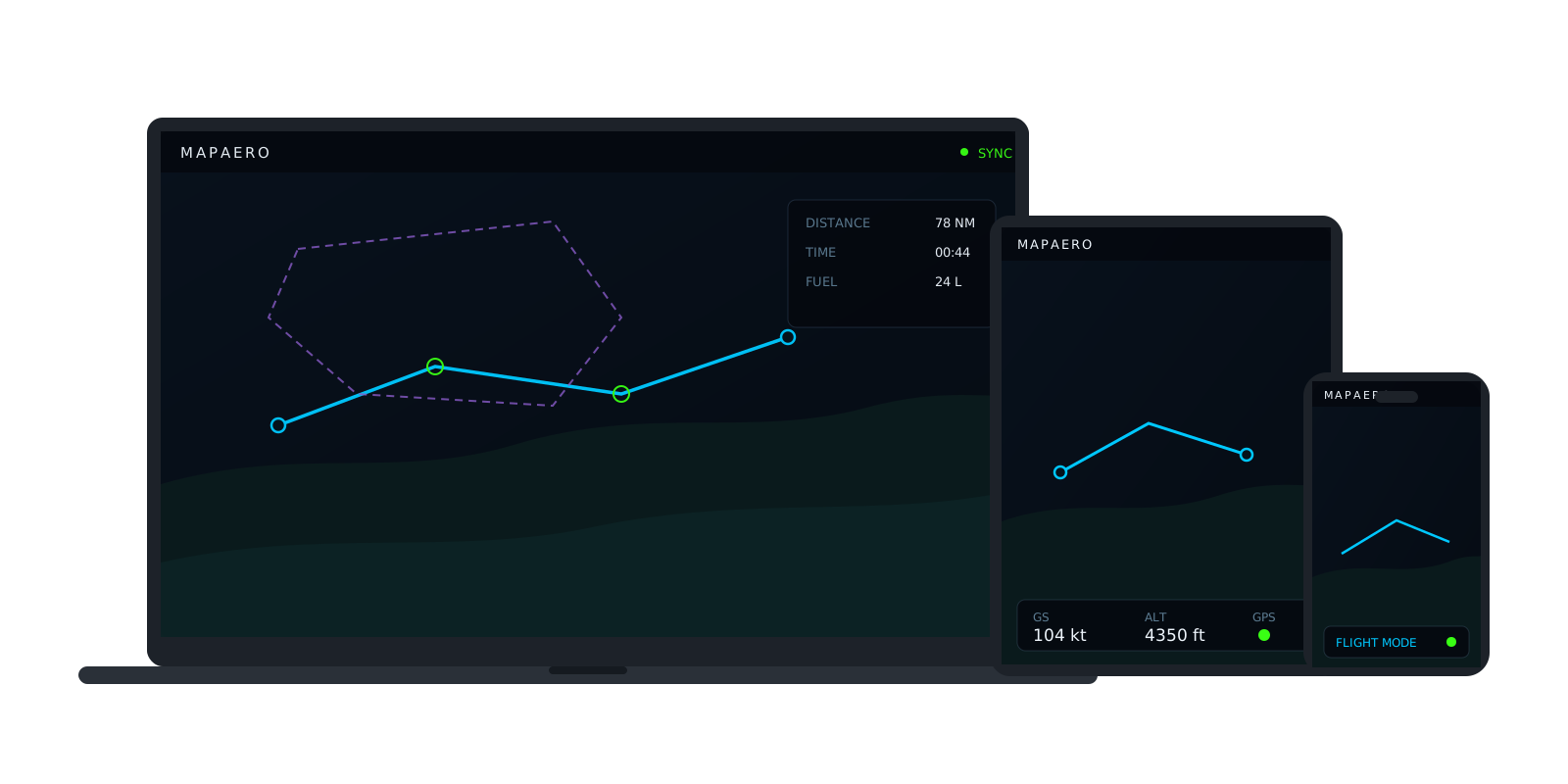
Chart, route, vertical profile and flight mode work without a network once the charts are installed. Weather, NOTAMs and aerodrome diagrams you have not viewed yet are downloaded.
Ready to plan your next flight?
Try MAPAERO on your own flights. The charts for your country install in a few minutes.
Aeronautical use
MAPAERO is a flight planning aid. It does not replace official aeronautical publications, an up-to-date weather briefing, or the pilot in command's judgement.